What is the Assetlinks.json Downloader?
assetlinks.json connects a website with its Android app. When the file is set up right, links to the site open straight in the app instead of the browser. This is called Android App Links. The file lives at /.well-known/assetlinks.json.
Our tool downloads the file and shows each linked app in a table: the package name, the SHA-256 certificate fingerprints and the permission type. Developers use it to debug App Links and to compare with other apps.
How to use it
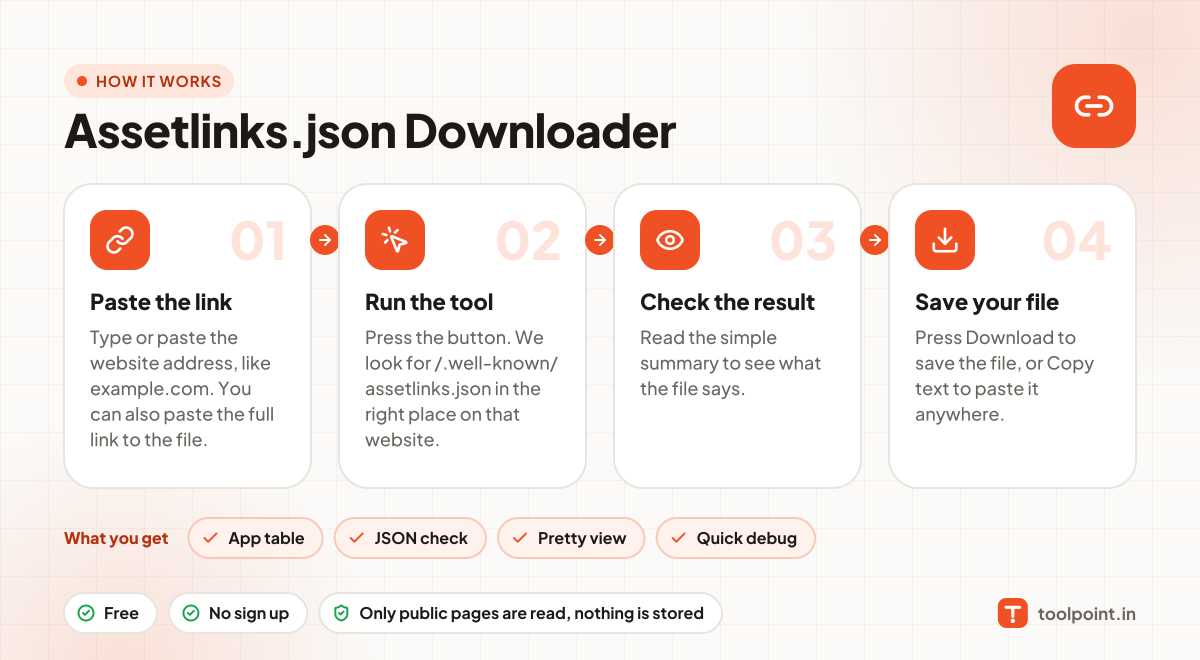
- Type or paste the website address, like
example.com. You can also paste the full link to the file. - Press the button. We look for
/.well-known/assetlinks.jsonin the right place on that website. - Read the simple summary to see what the file says.
- Press Download to save the file, or Copy text to paste it anywhere.
Why people like this tool
App table
Package names, fingerprints and permissions laid out clearly.
JSON check
We confirm the file is valid JSON, not an error page.
Pretty view
The JSON is formatted so it is easy to read.
Quick debug
Compare the fingerprint with your app's signing key in seconds.