What is the Humans.txt Downloader?
humans.txt is a fun, friendly file where a website thanks the people who built it. It often lists the team, their roles, the tools they used and a thank-you section. You find it at example.com/humans.txt.
Our tool fetches the file, shows the sections it contains and lets you save or copy it. It is a nice way to discover the people behind a site, or to get ideas for your own humans.txt.
How to use it
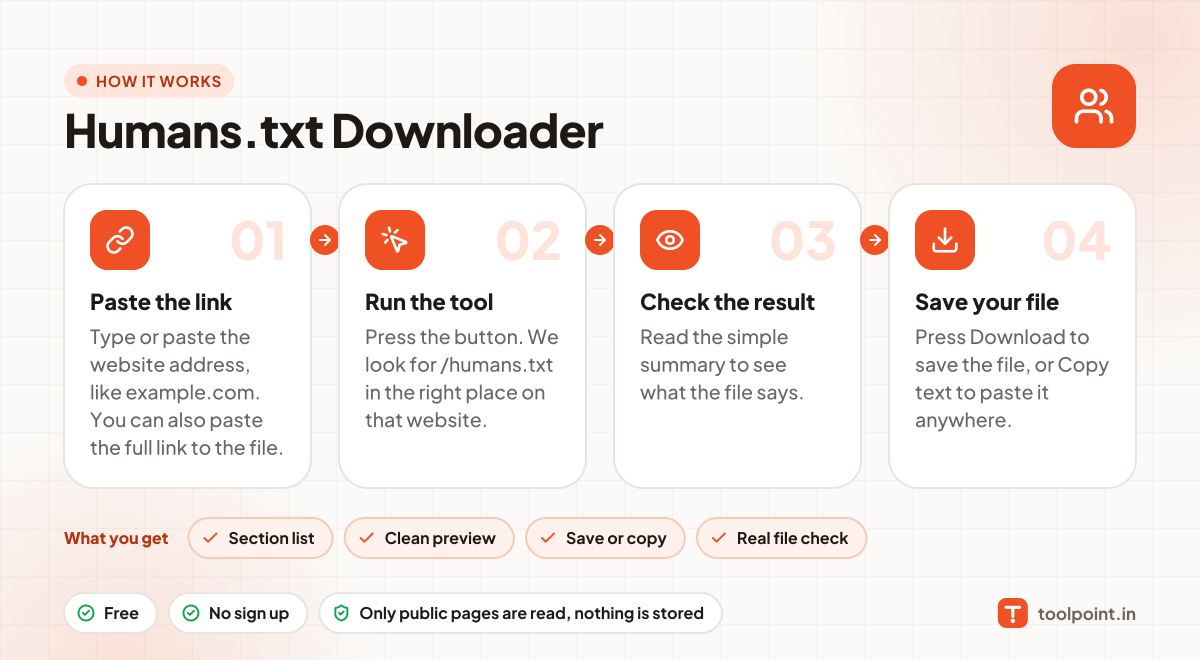
- Type or paste the website address, like
example.com. You can also paste the full link to the file. - Press the button. We look for
/humans.txtin the right place on that website. - Read the simple summary to see what the file says.
- Press Download to save the file, or Copy text to paste it anywhere.
Why people like this tool
Section list
We spot sections like /* TEAM */, /* THANKS */ and /* SITE */.
Clean preview
Read the whole file in a clean box.
Save or copy
Keep a copy as a .txt file with the website name.
Real file check
We make sure it is the real file and not a normal webpage.