What is the Apple App Site Association (AASA) Downloader?
The apple-app-site-association file, or AASA, links a website with its iPhone and iPad app. It powers Universal Links, password autofill and App Clips. It is kept at /.well-known/apple-app-site-association and has no file extension.
Our tool checks both allowed places, downloads the JSON and shows which app IDs are linked and which paths open in the app. It is a quick way to debug Universal Links without a Mac.
How to use it
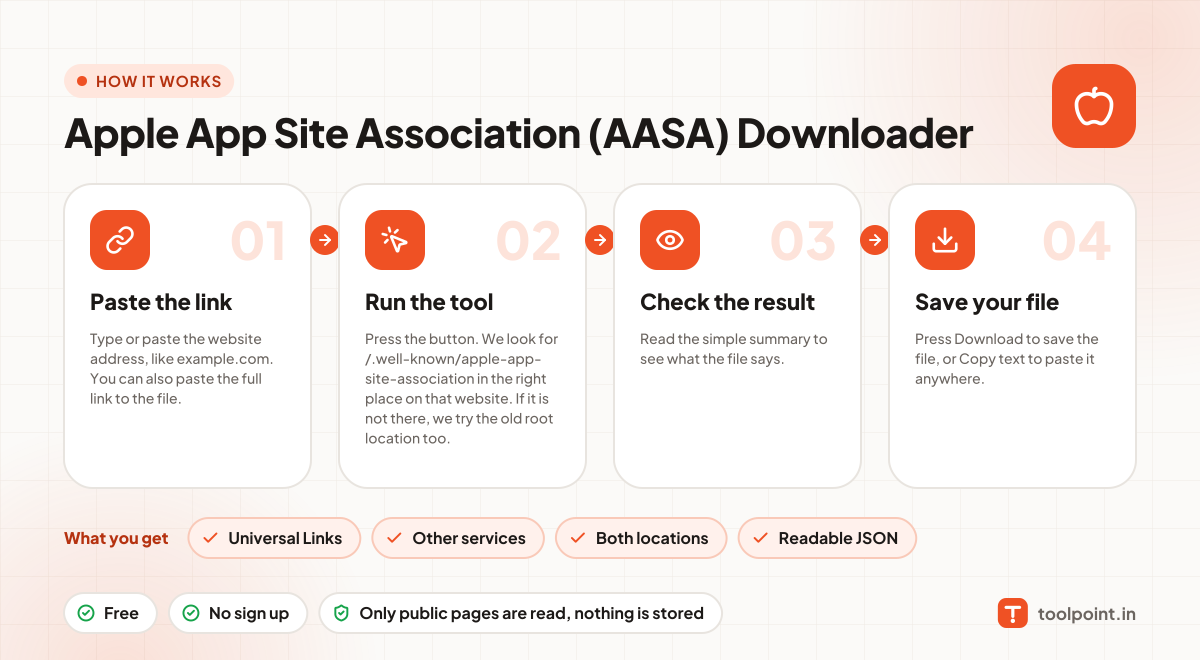
- Type or paste the website address, like
example.com. You can also paste the full link to the file. - Press the button. We look for
/.well-known/apple-app-site-associationin the right place on that website. If it is not there, we try the old root location too. - Read the simple summary to see what the file says.
- Press Download to save the file, or Copy text to paste it anywhere.
Why people like this tool
Universal Links
See every app ID and the paths it handles.
Other services
Web credentials, App Clips and Handoff apps listed too.
Both locations
We check the .well-known folder and the root.
Readable JSON
Pretty printed and easy to copy.