Skip to content
Website File Downloaders

Robots.txt Downloader & Checker

Download any site's robots.txt and see which bots are blocked. Check Googlebot, GPTBot, ClaudeBot and more, plus every rule and sitemap.

Try:

Something not working? Report a problem

What is the Robots.txt Downloader & Checker?

Every website can keep a robots.txt file at example.com/robots.txt. It tells search engines and other bots which parts of the site they may visit. A small mistake in this file can hide a whole website from Google.

Our tool downloads the file and explains it in simple words. You get a quick table that shows if Googlebot, Bingbot and AI bots like GPTBot, ClaudeBot and PerplexityBot are allowed or blocked. You also see every rule and every sitemap listed in the file.

How to use it

  1. Type or paste the website address, like example.com. You can also paste the full link to the file.
  2. Press the button. We look for /robots.txt in the right place on that website.
  3. Read the simple summary to see what the file says.
  4. Press Download to save the file, or Copy text to paste it anywhere.

Why people like this tool

AI bot check

See at a glance if the site allows GPTBot, ClaudeBot, Google-Extended, CCBot and others.

Rule table

Every Allow and Disallow line in a clean table, grouped by user-agent.

Sitemap finder

All sitemap links from the file, ready to open or export.

Mistake warnings

We warn you if the whole site is blocked or no sitemap is listed.
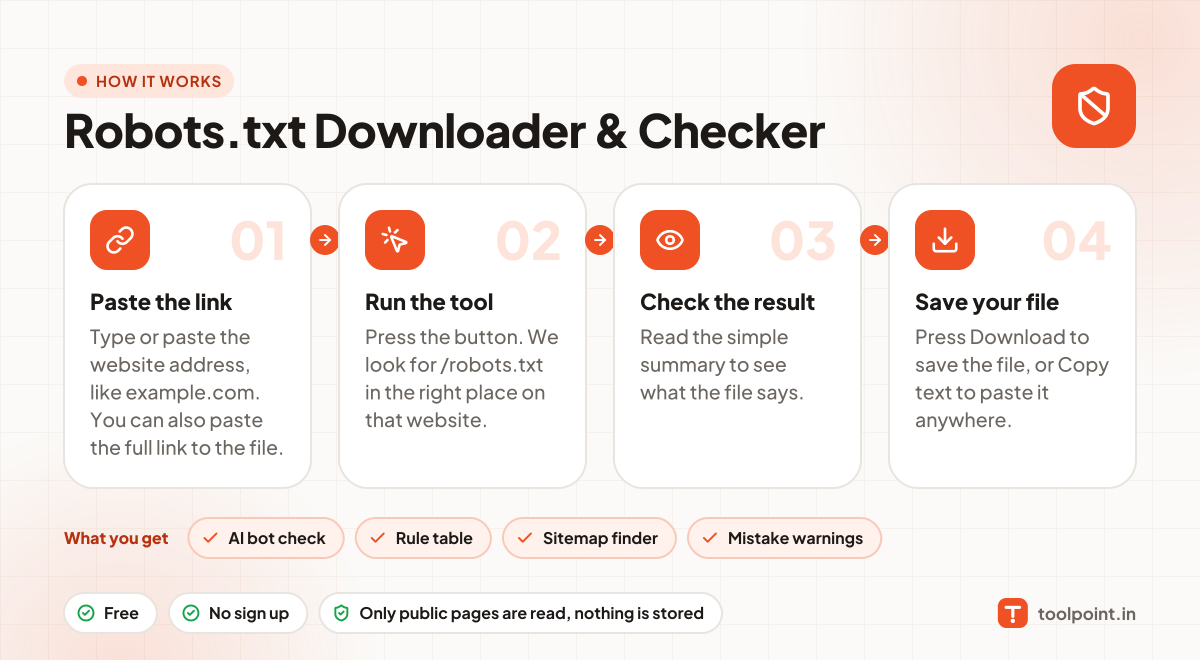
How it works, in one picture

Infographic: how to use the Robots.txt Downloader & Checker in 4 easy steps: Paste the link, Run the tool, Check the result and Save your file. You get: AI bot check, Rule table, Sitemap finder and Mistake warnings.

Frequently asked questions

What does "Disallow: /" mean?
It means the bot is asked not to visit any page on the website. If this is set for all bots (User-agent: *), search engines will stop crawling the site.
Does robots.txt stop a page from showing in Google?
Not fully. It stops crawling, but a blocked page can still appear in results if other sites link to it. To keep a page out of Google, use a "noindex" tag instead.
How do I block AI bots like GPTBot?
Add a group like User-agent: GPTBot followed by Disallow: /. Do the same for other AI bots you want to block.
Is the bot table 100% exact?
It is a simple check based on the main rules. Real bots also follow wildcard and longest-match rules, so treat "Partly blocked" as a sign to read the full rules.

You may also like