Skip to content
Sitemap & SEO Tools

Open Graph Image Downloader

Get the Open Graph (og:image) picture of any page. Preview how the link looks when shared, check the real size, and download the image.

Try:

Something not working? Report a problem

What is the Open Graph Image Downloader?

When you share a link on WhatsApp, Facebook or LinkedIn, the picture you see comes from the page's og:image tag. A good share image gets more clicks. A missing or small one looks broken.

This tool finds the og:image, shows a share preview, checks the real image size and file size, and lists all Open Graph tags. You can download the image in one click. We warn you if it is smaller than the recommended 1200 Ă— 630 pixels or has no alt text.

How to use it

  1. Paste the address of any page.
  2. Press Get OG image.
  3. See the share preview and read any size warnings.
  4. Press Download image to save it.

Why people like this tool

Share preview

See roughly how the link looks in chat and social apps.

Real size check

We open the image to measure its true width and height.

All OG tags

og:title, og:description, og:type and more in one table.

One click save

Download the image with the right name.
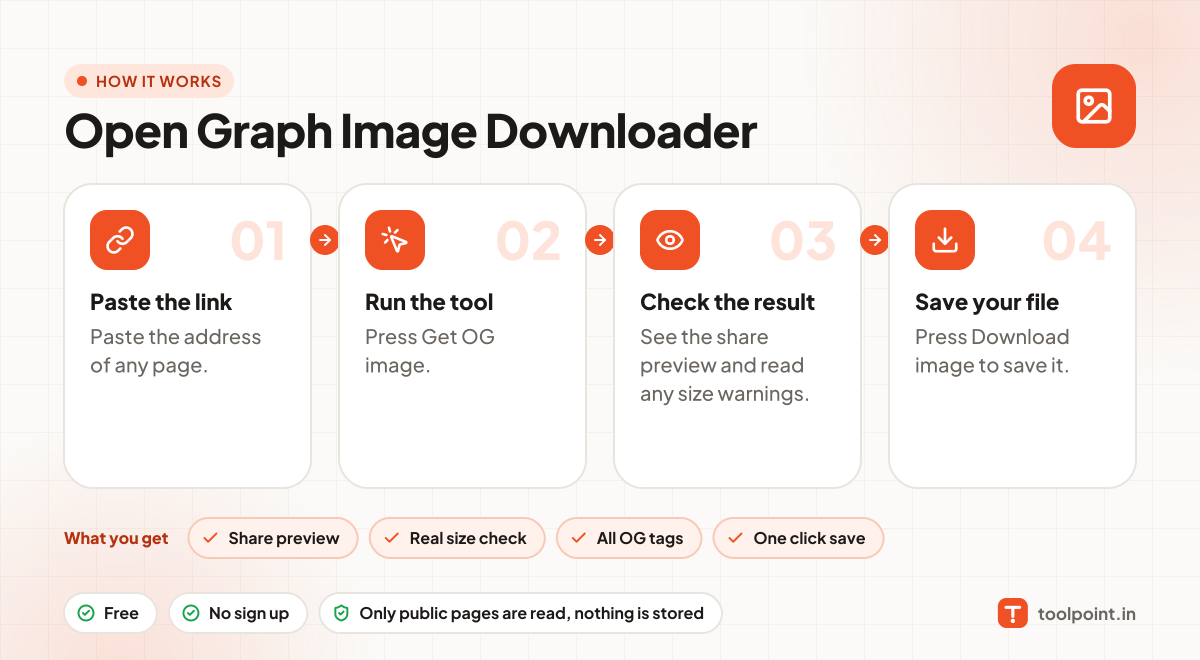
How it works, in one picture

Infographic: how to use the Open Graph Image Downloader in 4 easy steps: Paste the link, Run the tool, Check the result and Save your file. You get: Share preview, Real size check, All OG tags and One click save.

Frequently asked questions

What size should an OG image be?
1200 Ă— 630 pixels is the best size for most apps. Keep the file under 5 MB, and keep important text away from the edges.
Why does WhatsApp show an old image?
Apps save previews for a while. Facebook has a Sharing Debugger to refresh it. For WhatsApp, changing the image file name often helps.
Can I use the downloaded image?
Only if you own it or have permission. This tool is best for checking your own pages and learning from others.

You may also like