What is the Webpage Table to Excel & CSV Downloader?
Copying a table from a website into Excel often breaks the rows and columns. Merged cells go to the wrong place, and numbers turn into text.
This tool finds every data table on the page and shows you a preview. Download any table as Excel or CSV, or get all tables at once in one Excel file where each table is its own sheet. Merged cells (colspan and rowspan) are spread out correctly, and numbers stay as numbers.
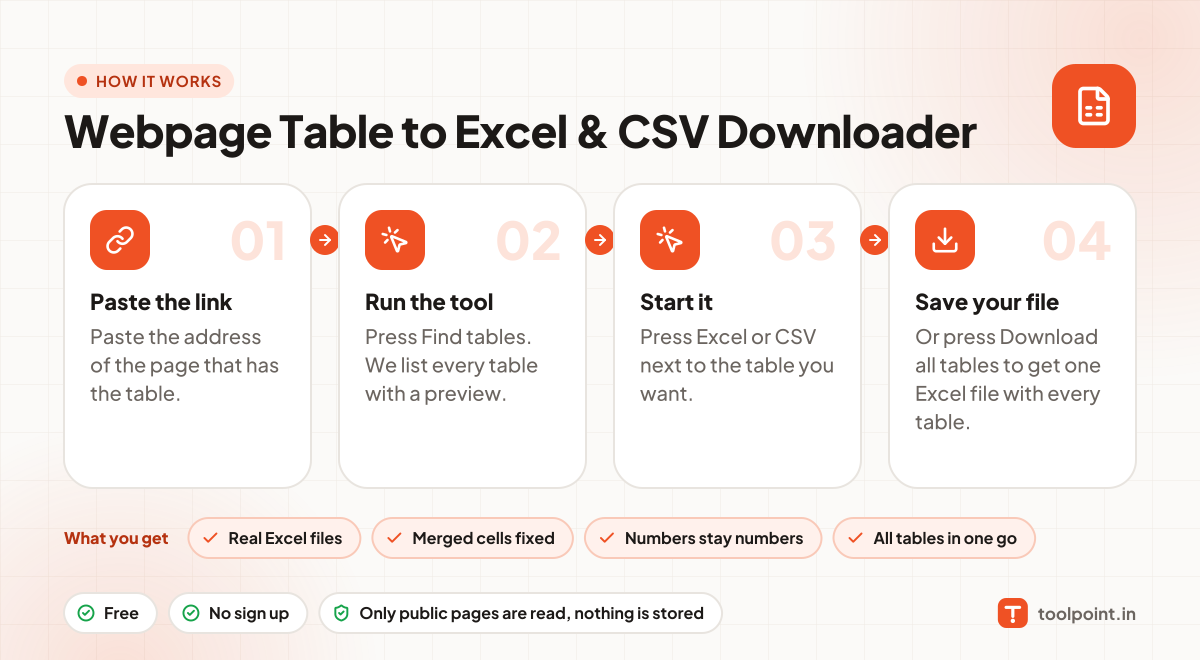
How to use it
- Paste the address of the page that has the table.
- Press Find tables. We list every table with a preview.
- Press Excel or CSV next to the table you want.
- Or press Download all tables to get one Excel file with every table.
Why people like this tool
Real Excel files
Proper .xlsx files that open in Excel, Google Sheets and LibreOffice.
Merged cells fixed
Colspan and rowspan are expanded so columns line up.
Numbers stay numbers
Plain numbers are saved as numbers, so you can add them up.
All tables in one go
Each table becomes its own sheet in a single file.