Skip to content
SVG Converters

SVG to JPG Converter

Convert SVG to JPG with the size, quality and background colour you choose. Many files at once, and everything runs in your browser.

Settings

Size

files · working...

Something not working? Report a problem

What is the SVG to JPG Converter?

JPG is the picture type that works everywhere, and the files are small. Drop your SVG and get a JPG at the size you want.

JPG cannot be see-through, so choose a background colour. White is the default. Pick a quality from 40 to 100 to balance size and sharpness.

How to use it

  1. Drop your SVG files here, or paste SVG code.
  2. Pick the size, the quality and the background colour.
  3. Press Download, or get all files as one ZIP.

Why people like this tool

Quality control

Choose 40 to 100 percent.

Background colour

JPG needs one, white by default.

Many files

Convert a batch and get one ZIP.

Private

Files never leave your device.
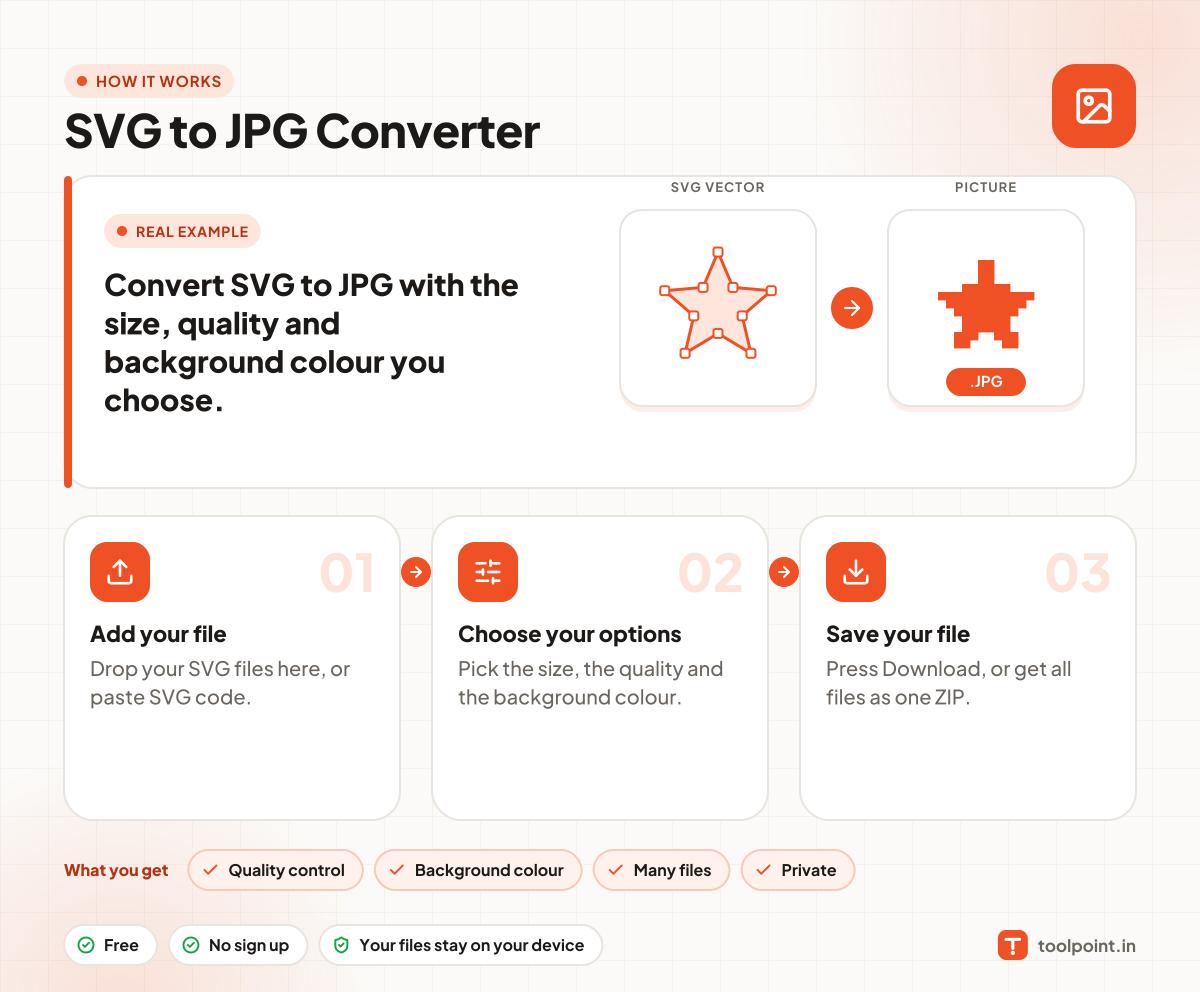
How it works, in one picture

Infographic: how to use the SVG to JPG Converter in 3 easy steps: Add your file, Choose your options and Save your file. You get: Quality control, Background colour, Many files and Private.

Frequently asked questions

How do I convert SVG to JPG?
Drop your SVG file in the box. The JPG is made at once. Press Download to save it.
Why is the background white?
JPG cannot hold a clear background, so a colour is filled in. You can pick any colour.
What quality should I choose?
90 is a good balance for most pictures. Use 100 for the best look, and 70 for the smallest file.

You may also like