Skip to content
Works with Rumble

Rumble Video Downloader

Download public Rumble videos in every quality up to 1080p, or save just the audio. Paste the video link and pick a size.

Try:

Only public content can be saved. Please download only what you made yourself or have permission to use, and respect the creator's rights.

Something not working? Report a problem

What is the Rumble Video Downloader?

Paste a Rumble video link and choose from every quality Rumble has, from 360p up to 1080p. You can also save only the sound as an AAC file, which is great for talks and podcasts.

Rumble keeps many videos as small parts. We join them into one video file for you, which plays in VLC, Windows and Android players.

How to use it

  1. Copy the Rumble video link.
  2. Paste it here and press Get video.
  3. Press Download on the quality you want.

Why people like this tool

Up to 1080p

Every quality the video has.

Audio only

Save the sound on its own.

Sizes shown

Pick a smaller file to save data.

Thumbnail

Save the video picture too.
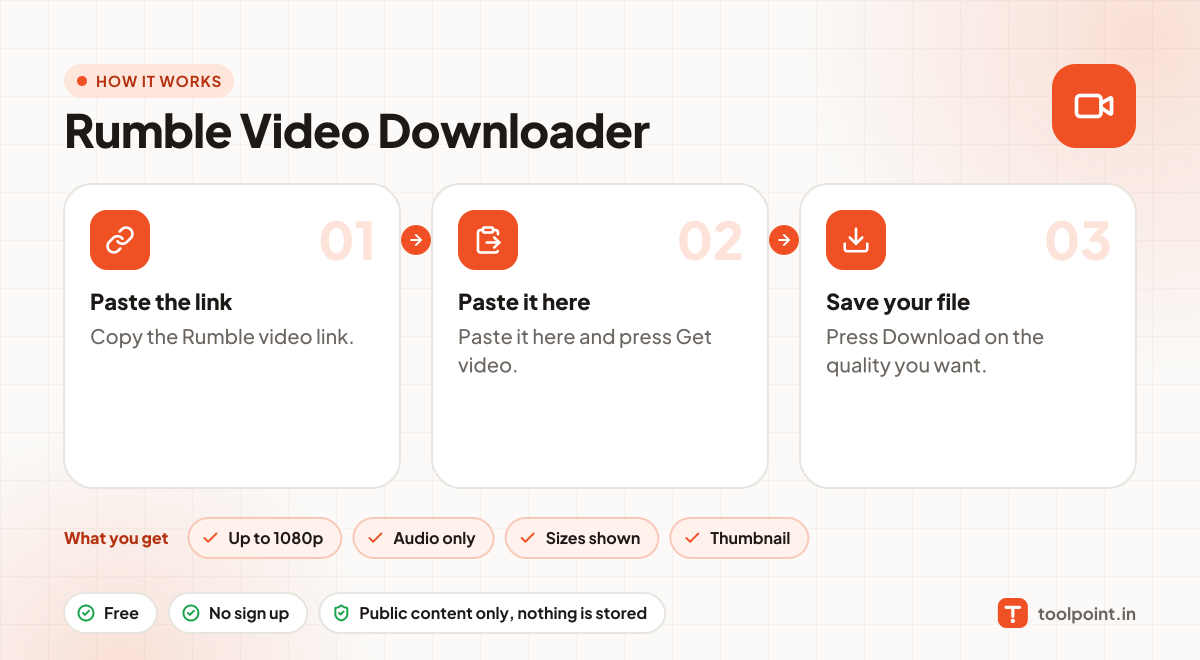
How it works, in one picture

Infographic: how to use the Rumble Video Downloader in 3 easy steps: Paste the link, Paste it here and Save your file. You get: Up to 1080p, Audio only, Sizes shown and Thumbnail.

Frequently asked questions

What is a .ts file?
It is a standard video file used for streams. It plays in VLC, Windows Media Player and most Android players. Any converter can change it to MP4.
Can I save a live stream?
Not while it is live. Once the stream ends and Rumble saves it, paste the link again.
Is it legal to download?
Downloading is fine for your own content, content with a free licence, or when the creator allows it. Do not re-upload or sell other people's work.
Do you keep a copy?
No. Files pass through to your device and nothing is saved on our server.

You may also like