Skip to content
Works with Bluesky

Bluesky Media Downloader

Download images and videos from public Bluesky posts in their original upload quality. Paste a profile link to collect media from many posts.

Try:

Only public content can be saved. Please download only what you made yourself or have permission to use, and respect the creator's rights.

Something not working? Report a problem

What is the Bluesky Media Downloader?

Bluesky shows images and videos in a smaller, compressed size. This tool gets the original files the person uploaded, straight from their Bluesky data server, so you get the best quality.

Paste one post link, or a profile link to gather media from their recent posts. Alt text is shown as the title of each image.

How to use it

  1. On Bluesky, press Share → Copy link to post.
  2. Paste it here and press Get media.
  3. Download files one by one, or as a ZIP.

Why people like this tool

Original quality

The exact file that was uploaded.

Videos as MP4

Real MP4 files, not stream pieces.

Profiles

Media from the latest posts, with "Load older posts".

Alt text

Image descriptions are kept as titles.
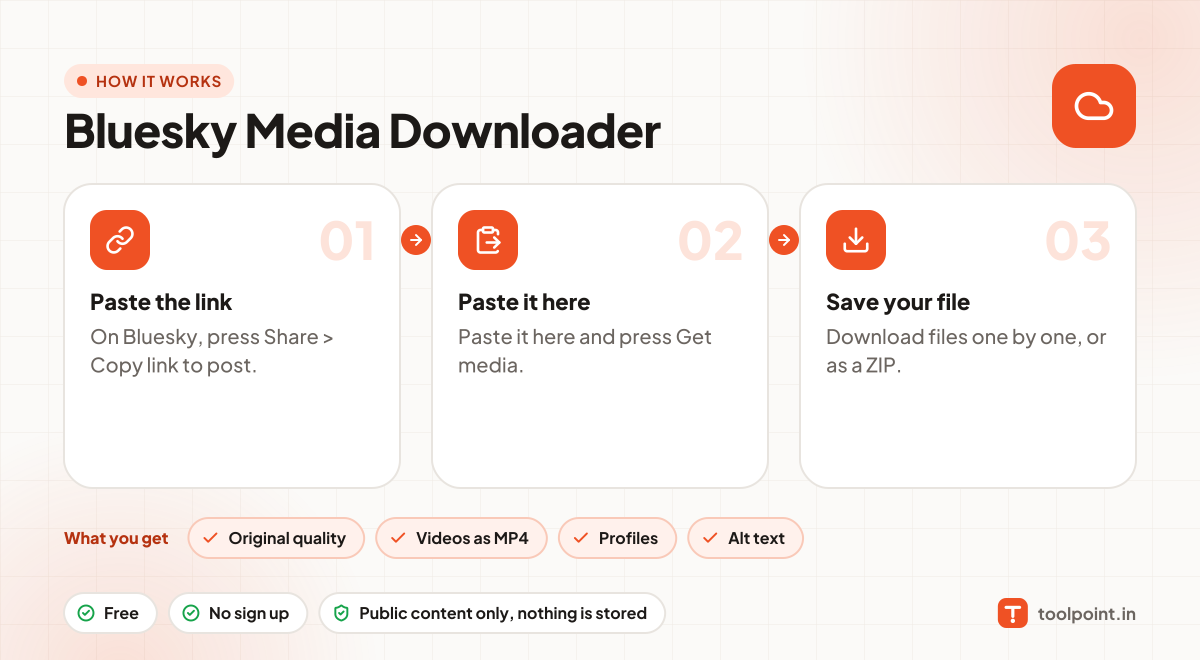
How it works, in one picture

Infographic: how to use the Bluesky Media Downloader in 3 easy steps: Paste the link, Paste it here and Save your file. You get: Original quality, Videos as MP4, Profiles and Alt text.

Frequently asked questions

Why can I not open some posts?
Some accounts only show their posts to logged-in users. Those cannot be read.
Does it work with custom domain handles?
Yes. Handles like @name.com work the same as @name.bsky.social.
Is it legal to download?
Downloading is fine for your own content, content with a free licence, or when the creator allows it. Do not re-upload or sell other people's work.
Do you keep a copy?
No. Files pass through to your device and nothing is saved on our server.

You may also like