Skip to content
Events & Stage

Web Stage LED Controller

Control stage LED par lights and moving heads from a phone: colour, brightness, wash and chase effects, and pan position.

How do you want to connect?

  1. Upload our Bluetooth code to an ESP32 (any ESP32, ESP32-C3 or S3).
  2. Turn on Bluetooth on your phone or laptop.
  3. Press Connect and pick from the list.

Works up to about 10 metres. No Wi-Fi name, password or internet needed. On iPhone, use the Wi-Fi hotspot option, or the free Bluefy browser app.

  1. Upload our Wi-Fi hotspot code to your ESP32 or ESP8266. No Wi-Fi details needed.
  2. On your phone, join the Wi-Fi with password .
  3. The remote page opens by itself. If not, open http://192.168.4.1 in your browser.
  1. Upload our Home Wi-Fi code with your Wi-Fi name and password filled in.
  2. Keep your phone on the same Wi-Fi.
  3. Open (or the IP shown in the Serial Monitor). Add it to your home screen for one-tap access.

Your browser and your board both connect to an MQTT broker on the internet, so you can control the device from anywhere.

Free public test broker: wss://broker.hivemq.com:8884/mqtt. For real use, make a free private broker on HiveMQ Cloud or EMQX Cloud.

Not saved. You type it each visit.

Keep this topic secret: on a public broker, anyone who knows it can send commands.

  1. Upload any of our codes to your board. They all listen on USB too.
  2. Close the Arduino Serial Monitor, keep the board plugged in.
  3. Press Connect and choose the board's USB port.

Great for testing on your desk. Works in Chrome and Edge on a computer.

For devices reachable on https, for example through Cloudflare Tunnel, ngrok or Home Assistant. Browsers block plain http:// links from this page, so for your home network use the Home Wi-Fi option instead.

Not sure? Start with Bluetooth on Android or a laptop, or Wi-Fi hotspot on iPhone. Move to Internet (MQTT) when you want control from outside your home.

Board
Connect using

The board appears in Bluetooth as . Needs an ESP32 (ESP8266 has no Bluetooth).

The board makes its own Wi-Fi (password ). Join it and the remote opens.

Fill in your Wi-Fi name and password at the top. Then open on the same Wi-Fi.

Uses the broker and topic from Connect my device → Internet, so this page and your board talk to each other.

Every version also works over a USB cable.


Colour

Effect

Command log

Press any button. Commands you send show here.

Something not working? Report a problem

About the Web Stage LED Controller

School functions, college fests and small stage shows need simple light control. This remote handles LED par cans and simple moving heads: colour, brightness, wash, chase and strobe effects, and pan. For big shows, bridge it to DMX with an ESP32 DMX module.

This remote runs fully in your browser, so it works on any phone or computer with no app to install. Try it now in demo mode. When you are ready, connect it to your own ESP32 or ESP8266 by Bluetooth, Wi-Fi hotspot, home Wi-Fi, USB cable or the internet. We write the Arduino code for you for each option.

How to use it

  1. Play with the remote in demo mode to see how it works.
  2. Build your device. See "What you need" below.
  3. Press Connect my device and pick how you want to connect. Bluetooth or Wi-Fi hotspot are the easiest.
  4. Press Get the code for this, upload it to your board with Arduino IDE, then connect. Now the buttons control your real device.

Why people like this tool

No app needed

Opens in any browser on Android, iPhone, laptop or tablet.

Real demo mode

Animated preview so you can test before you build.

Ready ESP32 code

Arduino sketch for ESP32 or ESP8266, made for this remote.

5 ways to connect

Bluetooth, Wi-Fi hotspot, home Wi-Fi, USB cable or internet (MQTT).

What you need to build it

  • An ESP32 board
  • N-channel logic-level MOSFETs (like IRLZ44N) for each colour
  • A 12V or 24V LED strip with its power adapter
  • A 12V to 5V buck converter to power the ESP32

Not ready to build? You can still use the remote in demo mode to plan your project and test the buttons.

Commands this remote sends

Over Bluetooth or a USB cable, each command is a short text line like id=value. With MQTT, it goes to your-topic/<id>/set and your device reports back on your-topic/<id>/state. On Wi-Fi, the page calls /<id>?value=… on the device.

idControlValuesDirection
powerStage LEDsON / OFFRemote → device
colorColourHex colour like #FF8800Remote → device
brightnessBrightness0 to 100 %Remote → device
effectEffectStatic, Wash, Chase, StrobeRemote → device
panMoving head pan-90 to 90 °Remote → device

Stay safe

Mains electricity (230 V) can kill. If your device switches a fan, light, pump or any appliance, ask a qualified electrician to do the wiring. Use a relay rated well above the load, add a fuse or MCB, and keep everything inside a closed box. For motors and pumps, use a proper starter or contactor. A web remote must never be the only way to switch off a machine.
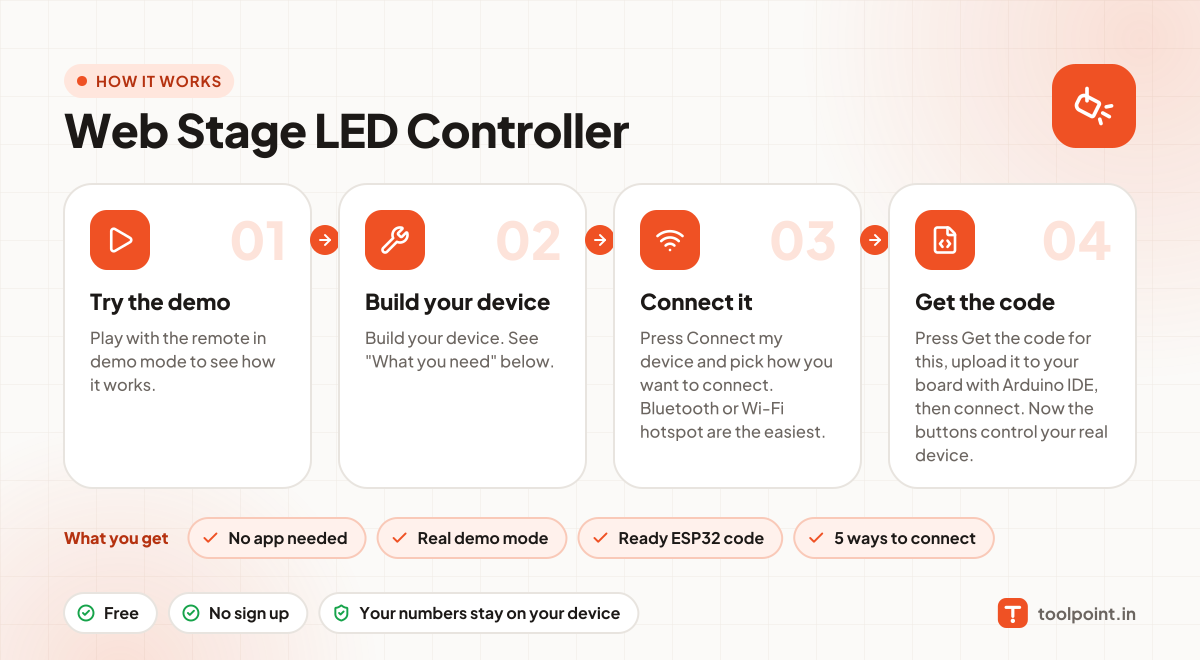
How it works, in one picture

Infographic: how to use the Web Stage LED Controller in 4 easy steps: Try the demo, Build your device, Connect it and Get the code. You get: No app needed, Real demo mode, Ready ESP32 code and 5 ways to connect.

Frequently asked questions

Can I try this remote without any device?
Yes. The remote opens in demo mode. Every button, slider and animation works, but nothing is sent. It is a great way to plan your project.
What is the easiest way to connect my device?
Use Bluetooth if you have an ESP32 and use Chrome or Edge on Android or a laptop: upload our Bluetooth code, press Connect and pick your board. On iPhone, use the Wi-Fi hotspot option: the board makes its own Wi-Fi, you join it, and the remote opens. Neither needs a router or internet.
Can I control it from outside my home?
Yes, with the Internet (MQTT) option. Your browser and your board both connect to an MQTT broker and share a private topic, so it works from anywhere. Inside the house, the Home Wi-Fi option gives you an easy address like http://tp-your-device.local.
Is a public MQTT broker safe?
A public broker is fine for testing, but anyone who knows your topic can send commands. For real use, create a free private broker with a username and password (for example on HiveMQ Cloud or EMQX Cloud), and keep your topic secret.
Can I use an ESP8266 instead of an ESP32?
Yes. In "Get ESP32 code", switch the board to ESP8266 and the code and pin numbers change for you. ESP8266 has fewer pins and only one analog input.

You may also like