Skip to content
Garden & Farm Remotes

Web Irrigation Pump Remote

Start the irrigation pump from home, run it for a set time, and let soil moisture decide when to water in automatic mode.

How do you want to connect?

  1. Upload our Bluetooth code to an ESP32 (any ESP32, ESP32-C3 or S3).
  2. Turn on Bluetooth on your phone or laptop.
  3. Press Connect and pick from the list.

Works up to about 10 metres. No Wi-Fi name, password or internet needed. On iPhone, use the Wi-Fi hotspot option, or the free Bluefy browser app.

  1. Upload our Wi-Fi hotspot code to your ESP32 or ESP8266. No Wi-Fi details needed.
  2. On your phone, join the Wi-Fi with password .
  3. The remote page opens by itself. If not, open http://192.168.4.1 in your browser.
  1. Upload our Home Wi-Fi code with your Wi-Fi name and password filled in.
  2. Keep your phone on the same Wi-Fi.
  3. Open (or the IP shown in the Serial Monitor). Add it to your home screen for one-tap access.

Your browser and your board both connect to an MQTT broker on the internet, so you can control the device from anywhere.

Free public test broker: wss://broker.hivemq.com:8884/mqtt. For real use, make a free private broker on HiveMQ Cloud or EMQX Cloud.

Not saved. You type it each visit.

Keep this topic secret: on a public broker, anyone who knows it can send commands.

  1. Upload any of our codes to your board. They all listen on USB too.
  2. Close the Arduino Serial Monitor, keep the board plugged in.
  3. Press Connect and choose the board's USB port.

Great for testing on your desk. Works in Chrome and Edge on a computer.

For devices reachable on https, for example through Cloudflare Tunnel, ngrok or Home Assistant. Browsers block plain http:// links from this page, so for your home network use the Home Wi-Fi option instead.

Not sure? Start with Bluetooth on Android or a laptop, or Wi-Fi hotspot on iPhone. Move to Internet (MQTT) when you want control from outside your home.

Board
Connect using

The board appears in Bluetooth as . Needs an ESP32 (ESP8266 has no Bluetooth).

The board makes its own Wi-Fi (password ). Join it and the remote opens.

Fill in your Wi-Fi name and password at the top. Then open on the same Wi-Fi.

Uses the broker and topic from Connect my device → Internet, so this page and your board talk to each other.

Every version also works over a USB cable.


Run for
Soil moisture %
Automatic mode
Water flow L/min
Command log

Press any button. Commands you send show here.

Something not working? Report a problem

About the Web Irrigation Pump Remote

Save trips to the field and save water. This irrigation remote starts and stops the pump, runs it for a fixed time, and shows soil moisture and water flow. In automatic mode, the pump starts when the soil gets drier than your limit and stops when it is wet again. Use a capacitive soil sensor and a pump starter with the ESP32.

This remote runs fully in your browser, so it works on any phone or computer with no app to install. Try it now in demo mode. When you are ready, connect it to your own ESP32 or ESP8266 by Bluetooth, Wi-Fi hotspot, home Wi-Fi, USB cable or the internet. We write the Arduino code for you for each option.

How to use it

  1. Play with the remote in demo mode to see how it works.
  2. Build your device. See "What you need" below.
  3. Press Connect my device and pick how you want to connect. Bluetooth or Wi-Fi hotspot are the easiest.
  4. Press Get the code for this, upload it to your board with Arduino IDE, then connect. Now the buttons control your real device.

Why people like this tool

No app needed

Opens in any browser on Android, iPhone, laptop or tablet.

Real demo mode

Animated preview so you can test before you build.

Ready ESP32 code

Arduino sketch for ESP32 or ESP8266, made for this remote.

5 ways to connect

Bluetooth, Wi-Fi hotspot, home Wi-Fi, USB cable or internet (MQTT).

What you need to build it

  • An ESP32 board
  • A relay module to drive a contactor or motor starter coil
  • A proper contactor / starter with overload protection
  • MCB, fuses and an IP-rated panel box (work with an electrician)

Not ready to build? You can still use the remote in demo mode to plan your project and test the buttons.

Where you can use it

  • Water crops at night when power is available.
  • Stop the pump from home when the field is full.
  • Water a kitchen garden only when the soil is dry.

Commands this remote sends

Over Bluetooth or a USB cable, each command is a short text line like id=value. With MQTT, it goes to your-topic/<id>/set and your device reports back on your-topic/<id>/state. On Wi-Fi, the page calls /<id>?value=… on the device.

idControlValuesDirection
powerPumpON / OFFRemote → device
timerRun forMinutes (0 = off)Remote → device
soilSoil moistureDevice sends a number in %Device → remote
dryStart when soil is below10 to 60 %Remote → device
autoAutomatic modeON / OFFRemote → device
flowWater flowDevice sends a number in L/minDevice → remote

Stay safe

Mains electricity (230 V) can kill. If your device switches a fan, light, pump or any appliance, ask a qualified electrician to do the wiring. Use a relay rated well above the load, add a fuse or MCB, and keep everything inside a closed box. For motors and pumps, use a proper starter or contactor. A web remote must never be the only way to switch off a machine.
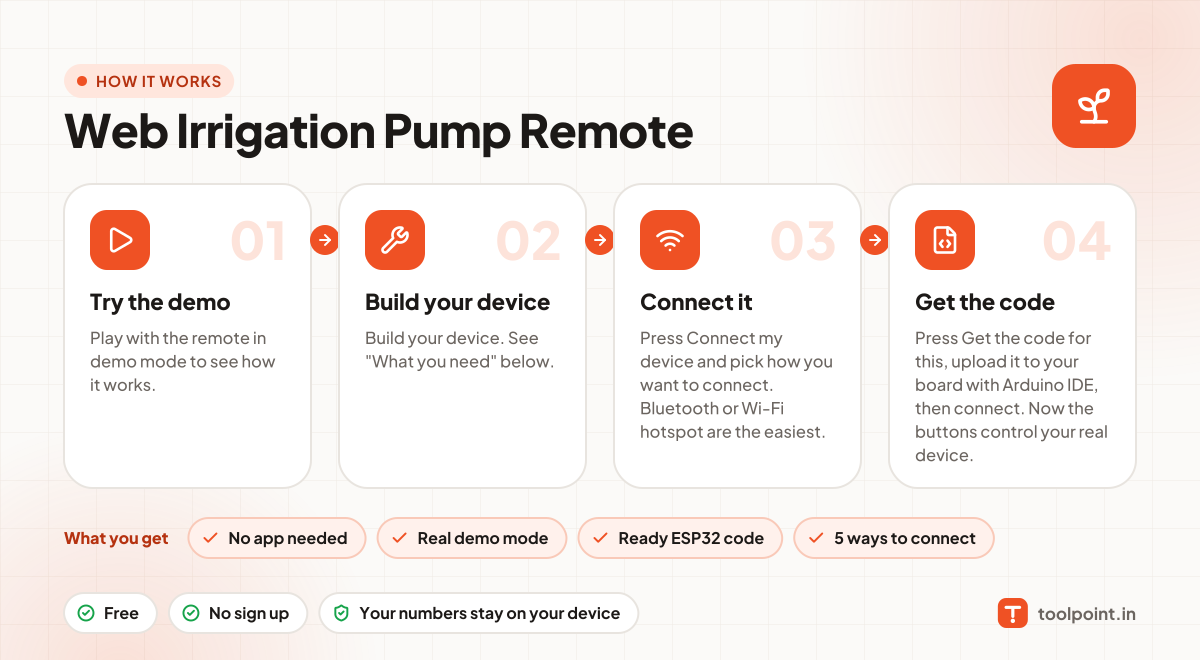
How it works, in one picture

Infographic: how to use the Web Irrigation Pump Remote in 4 easy steps: Try the demo, Build your device, Connect it and Get the code. You get: No app needed, Real demo mode, Ready ESP32 code and 5 ways to connect.

Frequently asked questions

Will it work in my field without Wi-Fi?
You need internet at the pump. Use an ESP32 with a 4G/LTE module (like SIM7600) or a cheap 4G router near the pump room.
Can I try this remote without any device?
Yes. The remote opens in demo mode. Every button, slider and animation works, but nothing is sent. It is a great way to plan your project.
What is the easiest way to connect my device?
Use Bluetooth if you have an ESP32 and use Chrome or Edge on Android or a laptop: upload our Bluetooth code, press Connect and pick your board. On iPhone, use the Wi-Fi hotspot option: the board makes its own Wi-Fi, you join it, and the remote opens. Neither needs a router or internet.
Can I control it from outside my home?
Yes, with the Internet (MQTT) option. Your browser and your board both connect to an MQTT broker and share a private topic, so it works from anywhere. Inside the house, the Home Wi-Fi option gives you an easy address like http://tp-your-device.local.
Is a public MQTT broker safe?
A public broker is fine for testing, but anyone who knows your topic can send commands. For real use, create a free private broker with a username and password (for example on HiveMQ Cloud or EMQX Cloud), and keep your topic secret.
Can I use an ESP8266 instead of an ESP32?
Yes. In "Get ESP32 code", switch the board to ESP8266 and the code and pin numbers change for you. ESP8266 has fewer pins and only one analog input.

You may also like